

CopySeeker can be useful, but it often leaves you wanting more: more sources, variations, and results.
Whether you’re trying to find out where your photo is being used, spot a fake profile, or just get more info, here are five tools that consistently deliver the extra coverage you need.
Upload a photo and let ProFaceFinder scan for matches across Telegram, social media, and websites. It’s one of the most accurate CopySeeker alternatives available today.
| Tool | Paid or Free | Pricing | Strengths | Limitations |
| ProFaceFinder | Paid only | $6-$10 | Accurate + no subscription | No free searches |
| FaceCheck.ID | Free to search, pay to view sources. | $19 – $597 | Fast, pulls from many sources, detailed results | Crypto payment only |
| PimEyes | 10 free searches, (no sources), then paid. | $16 – $313 | 200+ results + wide source variety | Kinda pricey, subscription needed |
| FaceSeek | Free to search, pay to view sources. | $7.90 – $79.90 | In-depth searches + flexible pricing | Limited free searches |
| Lenso.ai | 10 free searches, (no sources), then paid. | $16- $2,802 | Easy to use + recognizes faces & objects | Region restrictions |
| Free | Free | Simple, free, familiar + direct links | Limited results, doesn’t catch altered images well. |
1. ProFaceFinder – Accurate Results With Real Sources
After testing CopySeeker, which gave me only 7 results (not bad, but not great either), I put the same image through ProFaceFinder. Let’s just say that it got interesting.
I got 75 results, including different photos of the same person and pages where they appeared online. That’s the kind of detail you need if you’re verifying someone’s identity.
What stood out most was how well it handled edited images. If someone crops your picture, tweaks the lighting, or even blurs it a little, ProFaceFinder will still find it. A game-changer for tracking misused photos.
It’s not free, but the pricing is reasonable:
- $5.95 for 2 searches
- $9.95 for 7 searches
No hidden subscriptions. No “first month free, then automatically renewed” pricing. You pay once, that’s it.
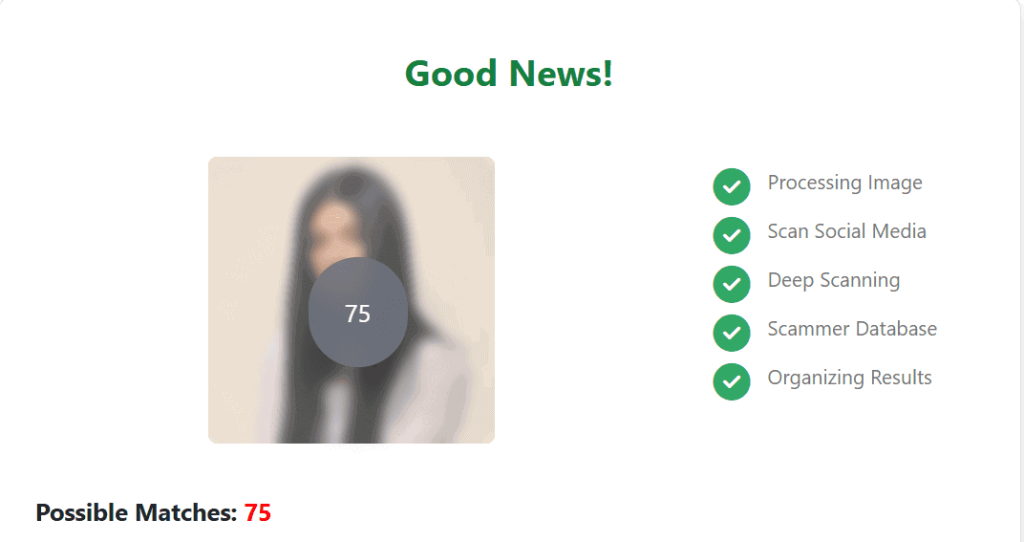
In case you’re trying to find out if your photos are being used without your permission or want to investigate someone’s online presence, ProFaceFinder is a solid choice.
2. FaceCheckID – Fast, Free Scanning (with a Catch)
FaceCheckID was one of the fastest tools I tried. I uploaded my image, and within seconds, I had 50+ results, way more than CopySeeker ever gave me.
Even the free version impressed me. It pulled up different images of the same person from dating sites, social media, and random websites. And sometimes, it also finds lookalikes.
But accessing source links requires payment, and the platform only accepts cryptocurrency, a barrier for those who prefer traditional payment methods.
Here’s how the pricing works:
- $19 – 50 searches (2 weeks)
- $47 – 133 searches (2 months)
- $197 – 666 searches (6 months)
- $597 – 3333 searches (1 year)
If you’re okay with paying in crypto and need a tool that’s quick and powerful, FaceCheck.ID is worth trying.
3. PimEyes – Lightning-Fast and Loaded With Matches
PimEyes is probably the most precise tool I tested. I uploaded my image, hit search, blinked, and 220 results popped up in just over 2 seconds.
It showed more of the exact image I uploaded and pulled up tons of pictures of the same person across different websites. It was scary accurate.
To actually view the sources, though, you’ll need to pay. It offers both one-time and monthly subscription options:
- $16 for a single scan
- $31 – 25 searches per day
- $36 – 40 searches per day
- $313 – unlimited searches
It’s on the pricier side, especially if you only need one or two searches. But if you want lots of results (and don’t mind paying) PimEyes definitely delivers.
4. FaceSeek – Flexible, Accurate, and Token-Based
If you have a photo and want to see where else it appears online, leave it to FaceSeek. Even if the image is slightly cropped or filtered, it’s surprisingly good at finding matches.
That’s because it doesn’t rely on a one-size-fits-all. As for subscriptions–it uses a token-based system. New users get 5 free searches per day, enough to test or even use it if you don’t need sources.
If you want deeper results, you can purchase some scannings:
- 15 searches $7.90
- 50 searches $19.80
- 120 searches $39.90
- 300 searches $79.90
Flexibility and privacy are its biggest advantages. You can test it for free, and scale up only when needed, so you’ll never feel trapped in a monthly plan. As for privacy, none of the photos you upload will be stored.
It’s one of the few tools that combines usability, reliability, and affordability all in one.
5. LensoAI – Clean and Simple, But With Limits
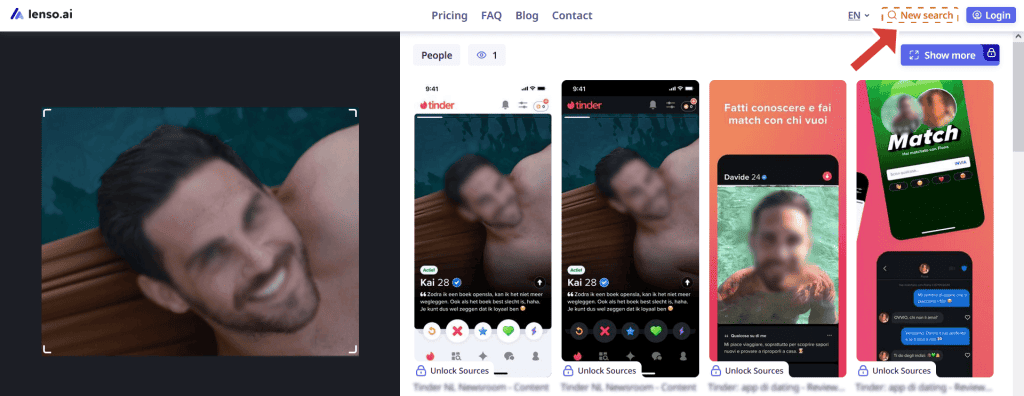
Entering LensoAI feels like a breath of fresh air. Its interface is simple, easy to use, and you even get 10 free searches a day, great if you don’t need sources or you just want to test it before subscribing.
Other than recognizing faces, it also works for objects, places, and landmarks. And depending on which subscription you’re willing to pay, you get 50, 500, or unlimited searches.
But here’s the catch:
- Accuracy dropped when I searched edited or grainy photos.
- Some of the free results might be too blurred to be useful.
- There’s no short-term options, just monthly or yearly subs, starting at about $16, $70, or $2,802 monthly.
- It doesn’t work everywhere (the EU, for example, is out of luck).
Based on my experience, LensoAI is a convenient starting point, especially for casual searches. But lower your expectations if you’re after precision, flexible payment options, or broader coverage.
6. Google Images – Simple, Free, and Very Helpful
Sometimes, simple is best, and Google proves it. While it won’t dig into hidden corners of the web, it’s fast, free, and surprisingly reliable for spotting photos that are already publicly available.
I got two exact matches instantly: one showed the original post, the other an article that reused it. Also, the “Visually similar images” feature uncovers additional photos of the same person, often leading to new sources or context.
The best part? You can see exactly where the image appears online, without paying a penny. There’s no subscription, tokens, or limits, and it works anywhere you have internet access.
If you’re just looking for a quick check or want to gather a bit more info without spending anything, Google Images is a great starting point.
 EN
EN  DE
DE  ES
ES  PT
PT  RU
RU  JA
JA  ZH
ZH
Leave a Reply