
ProFaceFinder Pesquisa inversa de rostos: Descubra onde as suas fotografias aparecem online
Once an image is public, copies can spread fast across blogs, forums, and directories without permission. ProFaceFinder helps you explore visually similar images and locate where as suas fotografias aparecem online across publicly accessible webpages.
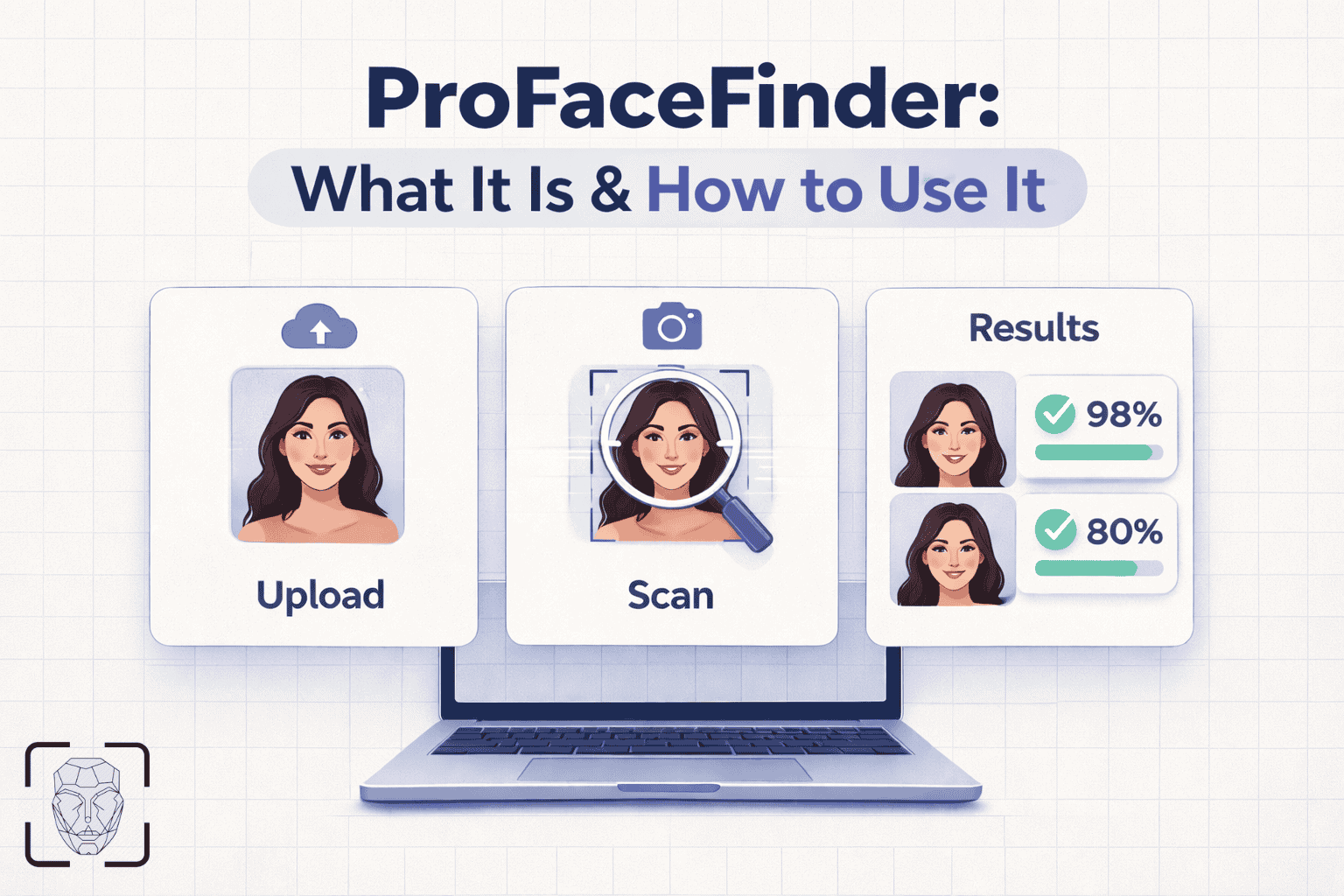
1. What Is ProFaceFinder? (Reverse Face Search Explained)
Upload only photos you own or have permission to search. By starting a search, you agree to our Terms of Service e Política de privacidade.
ProFaceFinder is an open-web reverse image search engine built around similar visual matches. Instead of searching by text keywords or names, ProFaceFinder compares visual features in an uploaded face photo against publicly accessible webpages and returns clickable links to pages where similar images appear.
2. How Similar Visual Matches Work
Muitos ferramentas tradicionais de inversão de imagem compare whole-image color grids and background pixels, which often miss matches when a photo is cropped or resized. The system analyzes facial geometry, key facial landmarks (eyes, nose, mouth, and jawline proportions), and structural visual patterns within the face region to locate candidate images across the public web.
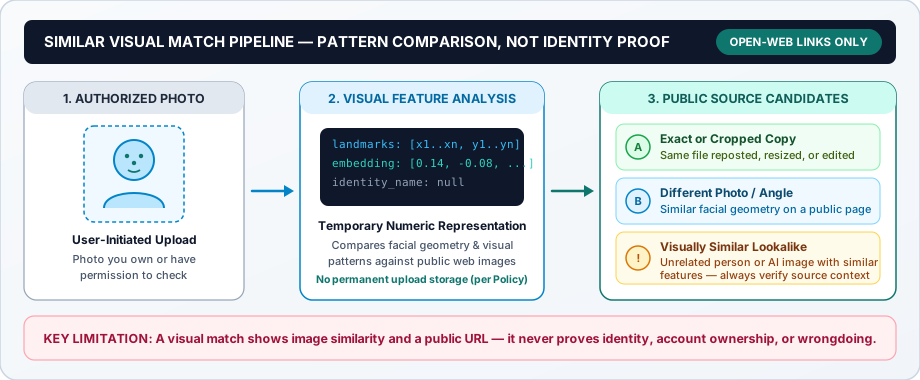
Depending on what appears on publicly indexed pages, search results may include four types of visual matches:
Exact Image Copies
The identical photo file reposted on a public blog, news article, forum, or directory.
Cropped or Modified Versions
The same underlying photograph after being cropped around the face, resized, mirrored, or color-adjusted.
Different Photos with Similar Features
Another public photo showing closely aligned facial geometry, angles, or expressions.
Lookalikes or Reused Synthetic Images
Unrelated individuals who share similar facial proportions, or stock and AI-generated portraits reused across multiple public sites.
Onde o ProFaceFinder efectua pesquisas (apenas na Web aberta)
ProFaceFinder scans publicly accessible webpages that do not require a login, including:
- Public news websites, blogs, and articles
- Open forums and public community threads
- Public directories and open professional listings
What is excluded: ProFaceFinder does não access private social media accounts, locked profiles, login-walled apps, or private databases. If a page requires a password or account login, it is not searched.
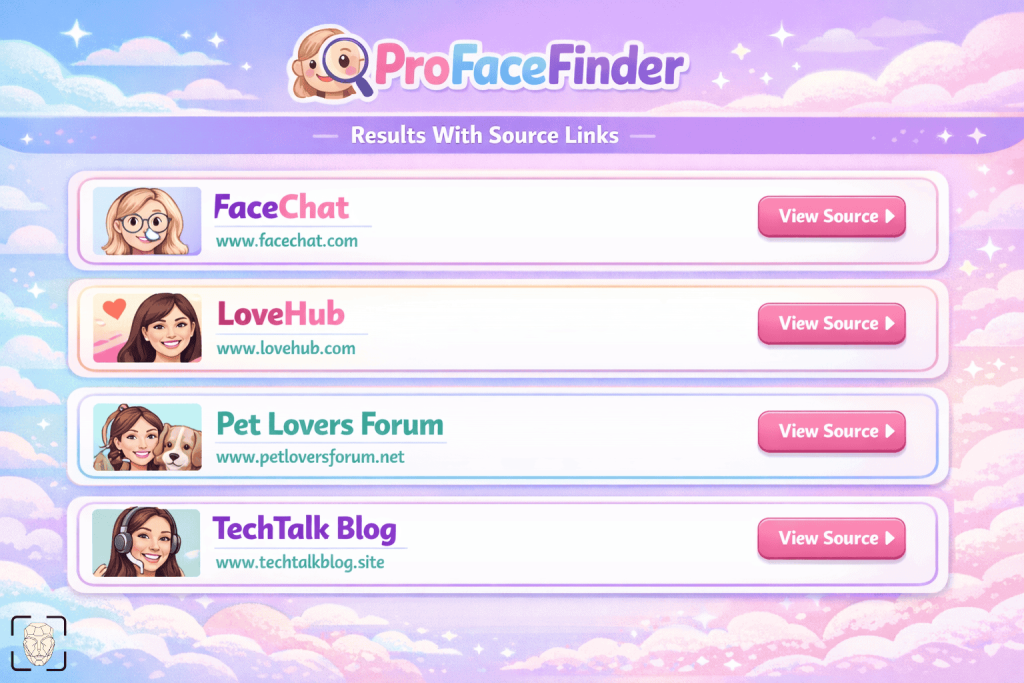
3. What Results Can and Cannot Tell You
Visual similarity search is designed to provide public web context—not personal identification. Before acting on any search result, keep these interpretation boundaries in mind:
| Aspect | What a Visual Match Shows | What a Visual Match Cannot Prove |
|---|---|---|
| Identity & Names | That two images share similar facial geometry or visual patterns. | Who the person is, their legal name, or that two photos definitely show the same individual. |
| Source Links & Ownership | The public URL where a matching or similar image is currently hosted. | That the person pictured owns, operates, or consented to the webpage or profile. |
| Conduct & Guilt | Public context where a photo has been published or reposted. | Wrongdoing, guilt, criminal history, or official background check records. |
| Zero Results | No close visual match was found in currently indexed public webpages. | That the image is unique or absent from private apps, unindexed pages, or the wider internet. |
Why Context Matters for Catfish & Repost Checks
Different people can look strikingly similar in photos, while two photos of the same person may fail to match due to poor lighting, low resolution, heavy filters, or extreme angles.
Understanding dating and public-record links: ProFaceFinder cannot search inside closed dating apps or run background checks. When readers research Tinder, Bumble, ou Grindr photo reuse—or check public fotos de prisão—ProFaceFinder can only surface matches if those photos were published on open, publicly indexed webpages (such as public scam-awareness blogs, press releases, or open web directories). Even when an exact photo match appears on a suspicious page, remember that scammers routinely steal innocent people’s photos without their knowledge.
4. How ProFaceFinder Handles Your Image
When you upload a photo to run a search, ProFaceFinder follows the data-handling rules set out in our Política de privacidade:
Client Pre-Check & Temporary Session Hold
Your browser verifies that the file is a valid image (up to 6 MB) containing a visible face—without estimating age, gender, or emotion—and temporarily holds your selected preview in local browser storage during checkout and result loading.
Temporary Numeric Feature Representation
To compare visual similarity, the system generates a temporary, non-reversible numeric representation (“embedding”) of facial features. Under our Privacy Policy, the original uploaded image is deleted from our servers after processing, and temporary embeddings are removed within 24 hours.
No Permanent Upload Database
Under our Privacy Policy, user-uploaded search photos are not added to a permanent searchable face database and are not sold to advertisers or data brokers. Returned results are cached in your browser for up to 24 hours so you can review your links.
One-Time Credit Pricing (No Recurring Subscriptions)
ProFaceFinder operates on a usage-based credit model with no recurring subscriptions: consumer packages start at $7.95 para 2 pesquisas (Pro Plan) and $11.95 for 5–7 searches (Premium Plan—see our Pricing page for current checkout allowances).
5. Responsible and Prohibited Use
Under our Terms of Service, you must be at least 18 years old and may only upload images that you own or are legally authorized to use. Note that while uploading your own photo provides consent to process your query image, it does not grant consent on behalf of third parties.
Appropriate & Authorized Uses
- Personal Image Exposure Checks: Locating where your own personal or professional photos appear on public websites.
- Unauthorized Photo Reuse & Copyright Audits: Checking whether headshots, creator portraits, or licensed brand images have been reposted without permission.
- Authorized Image Verification: Checking whether a publicly shared image is a widely recycled stock photo or reposted across multiple open webpages.
Strictly Prohibited Uses
- Stalking, Harassment & Doxxing: Using visual matches to track, intimidate, locate, or expose private individuals is strictly prohibited.
- Searches Involving Minors: Uploading or searching photos of children or anyone under 18 is forbidden.
- Background, Employment, or Tenant Screening: ProFaceFinder is not a consumer reporting agency and must never be used for hiring, housing, credit, insurance, or law-enforcement profiling decisions.
- Unfounded Accusations: Treating a visual similarity match or source link as proof of identity, ownership, or wrongdoing.
6. Privacy, Opt-Out, and Removal
Individuals whose images appear on publicly indexed webpages can request suppression from ProFaceFinder search results at any time. Because ProFaceFinder is a search engine rather than a web host, removing an image involves two separate steps:
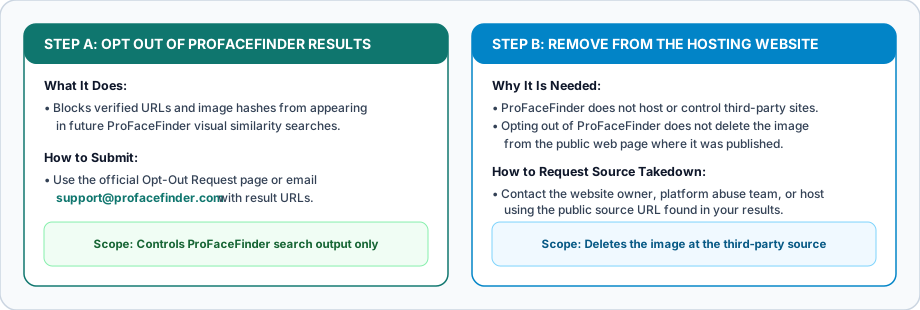
Step A: Opt Out of ProFaceFinder Results
To block matching URLs and image hashes from appearing in future ProFaceFinder searches, submit a request via our Opt-Out Request page or email support@profacefinder.com with the relevant result URLs or screenshots and confirmation that you are the person pictured (or an authorized representative).
Valid requests are normally processed within 24 horas úteis under our Política de privacidade e Terms of Service (and within at most 7–10 business days if manual review is required). If new copies of an image are later published at different URLs, you can submit an updated request.
Step B: Remove from the Original Hosting Website
ProFaceFinder does not host or control third-party websites linked in search results. Opting out of ProFaceFinder prevents the match from showing in our tool, but it does não delete the image from the external website where it was published.
To remove the photo from the public web, use the source URL found in your results to contact the website administrator, platform abuse team, or hosting provider directly, or submit a copyright/privacy takedown request to that host. For data access, erasure, or abuse reports, contact support@profacefinder.com.
7. How to Use the Search Responsibly
Check Authorization & Clarity
Select a clear photo where the face is unobstructed (eyes, nose, mouth, and jawline visible) that you own or have permission to search.
Select a Single Face
If your photo contains multiple people, use the on-screen crop selector to choose the single authorized face you want to compare.
Verify Page Context
Open the public source links and inspect the surrounding webpage to distinguish an exact photo repost from an unrelated lookalike.
Use Lawful Next Steps
Request search suppression via our Opt-Out Request page or contact the external site host directly to remove unauthorized uploads.
8. Frequently Asked Questions
O que é que o ProFaceFinder faz realmente?
ProFaceFinder scans publicly accessible webpages to find where an exact copy, cropped edit, or visually similar version of an uploaded face photo appears online, returning clickable links to those public source pages.
Does ProFaceFinder identify people, reveal names, or run background checks?
No. ProFaceFinder does not identify individuals, attach legal names to faces, infer personal traits, or provide background checks. It returns visual image matches and public webpage links only.
Does ProFaceFinder store the photos I upload?
Under our Política de privacidade, your original uploaded image is deleted from our processing servers immediately after generating a temporary, non-reversible numeric representation (embedding) for visual comparison, and temporary embeddings are automatically removed within 24 hours. During an active search session, your browser also temporarily holds the selected photo and caches returned results locally for up to 24 hours.
Can ProFaceFinder search private social media accounts or dating apps?
No. ProFaceFinder only searches publicly accessible webpages that do not require a login. It cannot access private social media profiles, locked accounts, or closed dating apps like Tinder, Bumble, or Grindr—it can only find images if they were reposted on open, publicly indexed webpages.
Why might search results show someone who only looks similar to the photo?
Reverse face search measures visual and geometric similarity, not identity. Because unrelated people can share similar facial proportions, lighting, or camera angles, results may include lookalikes. Always inspect the source webpage context before drawing conclusions.
How do I opt out or remove my photo from ProFaceFinder results?
Submit a request through our Opt-Out Request page or email support@profacefinder.com with the relevant result URLs or screenshots and confirmation that you are the person depicted (or the authorized owner). Valid requests block matching URLs and image hashes from future ProFaceFinder searches (normally processed within 24 business hours, and within at most 7 to 10 business days if manual review is needed). To delete the photo from the third-party website hosting it, you must contact that website directly.
 PT
PT  EN
EN  DE
DE  ES
ES  RU
RU  JA
JA  ZH
ZH
Deixe um comentário