

Yandex is OK for reverse image searching, especially Yandex.ru – the Russian version of the site produces even more results with better accuracy.
However, neither version focuses on face recognition. If you need to identify people and sources in photos, choose one of the 6 Yandex alternatives below:
| Alternative | Price | Pros | Cons |
| Free | Helpful & easy to use | Weak face recognition | |
| ProFaceFinder | Paid | Strongest face search | No free plan |
| Bing | Free | Better on Western sites | Limited face search |
| PimEyes | Paid & limited | Good face recognition | Paid access for sources |
| Lenso.ai | Free, limited | Scans old/edited photos | Face search is restricted |
| CopySeeker | Free | No sign-up required | Superficial face matching |
1. Profacefinder – Most Accurate Face Search Results
You’re not alone. If Yandex stopped working for you, ProFaceFinder is the upgrade worth trying. It finds real matches across social platforms — even when photos are edited, blurred, or AI-generated.
If Yandex isn’t cutting it with its face search, ProFaceFinder is the upgrade you need. It’s simple to use, and no accounts or subscriptions are required.
ProFaceFinder handles edited, low-quality, and AI-generated images better than general tools due to its powerful AI technology.
ProFaceFinder is useful for catfish or identity checks. Unlike Yandex’s limited sources, it searches on social media, dating platforms, and public records, where fake profiles are more common.
It’s designed to reveal where similar photos appear online or find other photos belonging to the same person.
Pricing:
- 2 searches – $7.95
- 7 searches – $11.95
*No automatic renewals or complicated cancellations.
2. Google Lens – Great For Similar Photo Matches and Extra Info

Google Images isn’t a true face-recognition tool, but it locates visually similar or duplicate matches. If the same photo appears across news sites, blogs, or profiles, use Google to trace it back.
Google also surfaces extra details: page titles, captions, and photo descriptions, which help explain who, where, or why an image is being used.
Google Lens isn’t reliable for identifying unknown faces, but it remains one of the most useful tools in 2026 for source tracking, verification, and background details.
When I tested Google Images, I got over 50 accurate matches, all clearly labeled by source.
Also included: Name-based section linking to a full biography. When tested on a dress, the tool returned mostly shopping and rental links with strong accuracy.
3. PimEyes – Great Face-Focused Results
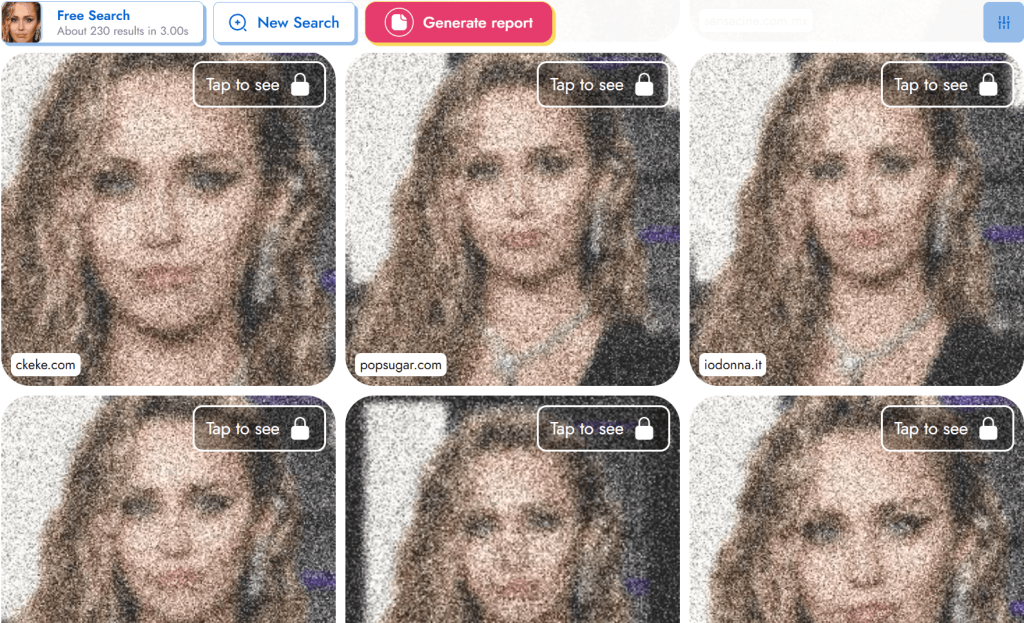
If you want something more specialized than Yandex, PimEyes is your solution. It analyzes facial structure and key features, not just similar photos.
That makes it effective for finding different photos of the same person. Results are typically well-organized and focused purely on exact or very similar matches.
It’s not the cheapest option (pricing goes from $15 to $300), but in terms of face-matching depth, it’s a pretty accurate tool.
PimEyes Cons: You have to pay to unlock the full results and sources; PimEyes may occasionally give false positives.
4. Bing – Best for Similar and Related Photos

Bing is one of the best all-purpose image search tools. It’s a strong option for finding visually similar photos, not for identifying a person.
Much like Yandex, Bing is also a search engine whose photo-search feature helps uncover patterns, reused pictures, or alternate versions of the same photo.
Bing Visual Search works well for portraits, lifestyle images, travel shots, or social-media-style photos.
Its visual matching and filtering tools are faster and more refined. Plus, Bing is free & simple. Use it when Yandex or Google returns repetitive results.
What can you expect from Bing Images?
- 100+ results per search, mostly similar-looking faces.
- Fewer exact matches for less-known people.
- Built-in text detection and translation.
- Fast access to sources.
5. Lenso.ai – For Altered and Old Photo Lookups

Lenso.ai specializes in identifying faces in edited, aged, or low-quality images. Yes, even heavily edited photos!
It uses advanced AI-powered facial recognition to detect features, making it ideal for tracing photos over time. If you’re trying to match old images online, Lenso.ai is for you.
What you should know about Lenso.ai:
Lenso.ai’s face search may be limited depending on your location. You get 10 free searches per day, but source details require a $16+ subscription.
In testing, it produced about 20 results, most of them accurate – including searches for non-public figures.
6. CopySeeker – Best For Exact Matches

As opposed to Yandex, CopySeeker focuses on finding the same exact image on multiple online platforms.
It tracks duplicates and near-identical versions, instead of analyzing facial features or lookalikes. That makes it useful for verifying where an image was first published or checking if it has been reused elsewhere.
If your goal is precision rather than facial recognition depth, CopySeeker does the job efficiently.
CopySeeker has a paid version in which you get additional photo lookup credits for a price: $3-$15 for up to 200 credits.
How to Improve Each Yandex Alternative Performance
As good as Yandex alternatives might be, you have to be strategic in the way you choose and use them. Follow the steps below to get better face-search results:
1. Start With the Right Image
Use a clear, front-facing photo. Avoid filters, sunglasses, and heavy shadows. Crop tightly around the face if the background is complex.
Remember: If the photo is low-quality, even the best tool will struggle.
2. Use More Than One Tool
Start with broad search engines (Google or Bing), then move to face-focused tools (ProFaceFinder). Confirm photo duplicates with CopySeeker.
3. Test Different Photo Variations
Small adjustments can change results because algorithms respond differently to changes: Try a cropped or HD image, or remove distracting elements.
4. Match the Tool to the Context
- Dating profile? Use ProFaceFinder.
- Professional headshot? Try PimEyes.
- Old or edited photo? Use Lenso.ai.
Use all tools responsibly! Face search should be used for verification and research – not harassment, stalking, or invading someone’s privacy.
 EN
EN  DE
DE  ES
ES  PT
PT  RU
RU  JA
JA  ZH
ZH
Leave a Reply