

ImgOps is handy, free, simple, and it quickly gets your results from Google, Bing, Yandex, TinEye, and other popular search engines.
The problem is…sometimes you do everything right and still get no results, no access to certain tools, or just aren’t satisfied.
I did some research, testing, and can say with full confidence that these are the 5 most similar ImgOps alternatives:
1. ProFaceFinder – Best Tool For Face Search
If your face is out there, ProFaceFinder will find it even on dating sites or random profiles you’ve never seen. Upload one photo, and get the full picture. If someone’s pretending to be you, you’ll know before things get messy.
ProFaceFinder is a reverse image search tool that excels in finding faces, not just similar images. Upload a photo, and it scans multiple sources:
- Social media
- Dating sites
- Websites
- And public files of any kind
It works well even if the photo is edited, cropped, or taken from a different angle, and it detects AI-generated or AI-altered images immediately.
While testing, I got 55 results in just a few seconds. However, the timing depends on the picture you’re scanning, its popularity, and how deep ProFaceFinder has to search.

Since ProFaceFinder focuses on faces, you’re far more likely to find the actual person, not just random lookalikes.
ProFaceFinder also shows you if your photos are being used without your consent, including in corners of the internet you’d rather not imagine.
Plans are affordable: $7.95 for 2 scans, or $11.95 for 7. And the only thing it won’t locate are your keys…you’re on your own there.
2. SmallSEOTools – Most Similar to ImgOps
SmallSEOTools isn’t much different from ImgOps, other than the fact that it gives more results by redirecting you to image reverse search tools like:
- Reversely.ai
- Bing
- And Yandex, without scanning the photos themselves.
At the time of testing, a search on Reversely.ai returned 20 results – 8 highly accurate and 12 less relevant, with visible sources for free.
Duplicate searches returned no results, whereas the People feature found 4 strong matches, but access required payment.
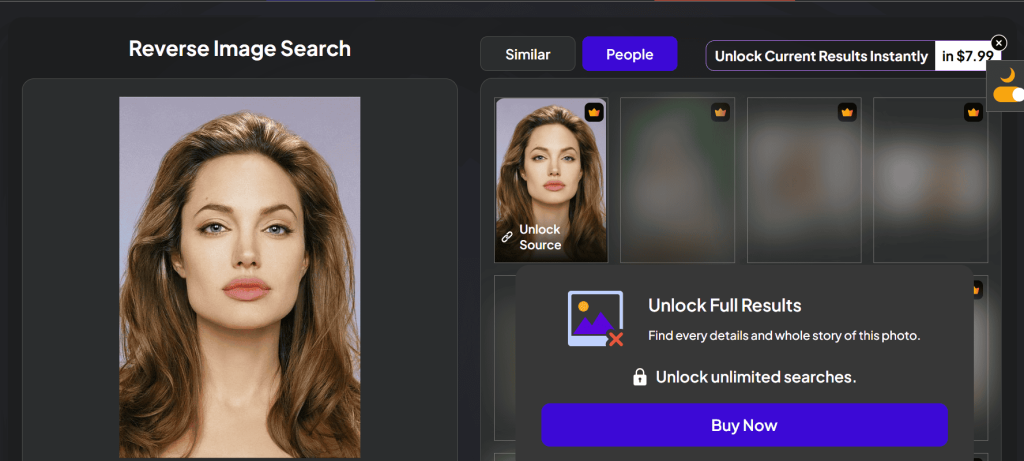
These results were from months ago. Since then, the platform has changed. Free searches are no longer available.
You now see only one visible result without sources, while the rest are blurred and locked behind a paywall:
The monthly plan costs $14.99 for 12-15 searches, or yearly for $56. You have to pay extra for full source access. If you want, you can craft a Custom pricing plan, too!
3. SearchEngineReports.net – Free Access & Many Results
SearchEngineReports.net is a simple tool for image-searching that checks multiple search engines for you in one go.
Upload an image, paste its URL, or use a keyword for image similarity, and you’ll be routed to Google, Bing, Yandex, TinEye, Sogou, or Baidu.
– What makes SearchEngineReports.net a solid choice?
It’s fast and beginner-friendly. This is how to reverse-search any photo: upload → search → swipe → click any engine → review results.
It is built for multi-engine searching – it provides diverse results effortlessly and anonymously. Your photos are deleted immediately and never stored.
SearchEngineReports.net is very similar to ImgOps. They’re both convenient in daily use and serve as “bridges” between users and engines.
4. DupliChecker – For Fast, Basic Reverse Image Search Results
DupliChecker is a solid ImgOps alternative that lets you run image searches. Upload a file (up to 20MB), paste an image URL, or enter keywords to get started.
It scans Google, Bing, and Yandex at once for face matches or similar images. DupliChecker is not free, and subscriptions are customizable:
- $5.40/ weekly, 5 searches
- $11.85 / monthly, 12 searches
- $162.40 / yearly, 200 searches
Images aren’t saved, which is nice when uploading personal photos – although that question mark does raise an eyebrow.
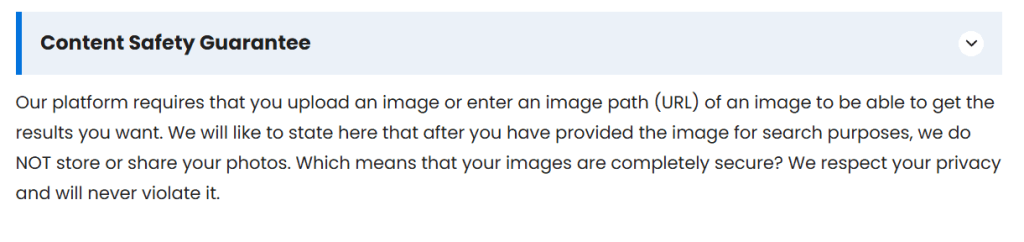
It is simpler than ImgOps because it doesn’t redirect you to other sites. It’s quick and organizes the results in one place. That said, there are no extras like EXIF data, image forensics, or advanced tools.
5. Forensically – Finds Similar Photos by Scanning Pixels
Forensically is a browser-based tool that helps you analyze photos for signs of editing or tampering, similarly to some of the tools ImgOps offers.
You can use it to:
- Zoom in and inspect fine details
- Detect cloning, revealing copy-pasted areas
- Analyze noise and ELA, highlighting patterns that suggest edits
- Check metadata and geotags embedded in the file
Here’s the distinction: ImgOps acts as a hub, letting you choose from a variety of online image tools and other platforms. Forensically is more helpful when you need to check if an image has been manipulated.
How to Choose Between Search Hubs and Specialized Tools?
– When Are Image Search Hubs Useful?
Reverse image search hubs like ImgOps, DupliChecker, and more act as shortcuts.
They’re great when you’re exploring, comparing results, or doing quick checks, but they don’t actually analyze the images themselves.
Instead of running the same image through Google, Bing, or Yandex, they provide a variety of results and leave it up to you to choose where you need to go.
– When to Use Specialized Reverse Image Search Tools?
If you want real answers, opt for specialized tools like ProFaceFinder. They’re the smart choice since they’re specifically designed for face recognition.
It’s powerful enough to verify someone’s identity and check face matches by their photo only, without jumping through hoops.
 EN
EN  DE
DE  ES
ES  PT
PT  RU
RU  JA
JA  ZH
ZH
Leave a Reply